
You’re looking for an coolrom android game download because you want to play great games on your phone.
CoolROM is a fantastic resource for classic console games (ROMs), not modern Android games (APKs).
So, if you’re here, you’re in the right place.
This guide will show you the correct way to use sites like CoolROM to play thousands of retro games on your Android device.
I’ll walk you through a safe, step-by-step process, clearing up the difference between the file types and getting you from download to gameplay.
The goal is to help you play those classic titles on your modern phone, not just get a file sitting on your device.
Understanding the Key Difference: ROMs vs. Android APKs
Let’s get one thing straight: a ROM file is a digital copy of a game from a physical cartridge or disc, like those for a Super Nintendo or PlayStation.
On the other hand, an APK file is the application package used by the Android operating system to install mobile apps and games directly.
Think of it this way: a ROM is like a classic movie on a DVD that needs a DVD player to watch. An APK, however, is like a streaming app you can install directly from an app store.
CoolROM’s library consists of ROMs, which means you need special software called an ’emulator’—the ‘DVD player’ in our analogy—to run them on Android.
So, if you’re looking for an coolrom android game download, you won’t find a direct Android game. Instead, you’ll need an emulator to play the ROMs. It’s the essential bridge between the old and the new.
A Step-by-Step Guide to Finding and Downloading Game ROMs Safely
When it comes to finding and downloading game ROMs, safety is key. Let’s walk through the process using a site like CoolROM.
First, go to the CoolROM website. Use the search bar to find the game you’re looking for. Make sure you type the game’s full name to get accurate results.
Now, here’s the crucial part: avoid large, flashing ‘Download Now’ buttons. These are usually ads and can lead to malware. Instead, look for the main download link, often labeled clearly on the page.
Once you find the right link, check the file format. Never download or run an executable (.exe) file on your Android device. ROMs typically come in .zip, .smc, .nes, or similar formats.
This is important to keep your device safe.
Legal Considerations
Before you download, take a moment to research your local laws regarding ROMs. The best practice is to download games you already physically own. This way, you stay on the right side of the law.
Final Steps
After you’ve found the correct ROM, click the download link. Save the zipped ROM file to a memorable location on your Android device, like the ‘Downloads’ folder. This makes it easy to find later.
If you need more detailed guides or insights, check out Roarcultable. They offer a wealth of information on tech and gaming topics.
By following these steps, you can enjoy your favorite retro games safely and legally. Happy gaming!
Choosing the Best Emulator for Your Android Device

An emulator is an app that acts like a classic game console on your phone, allowing it to read and play ROM files. It’s a must if you want to relive those old-school gaming experiences.
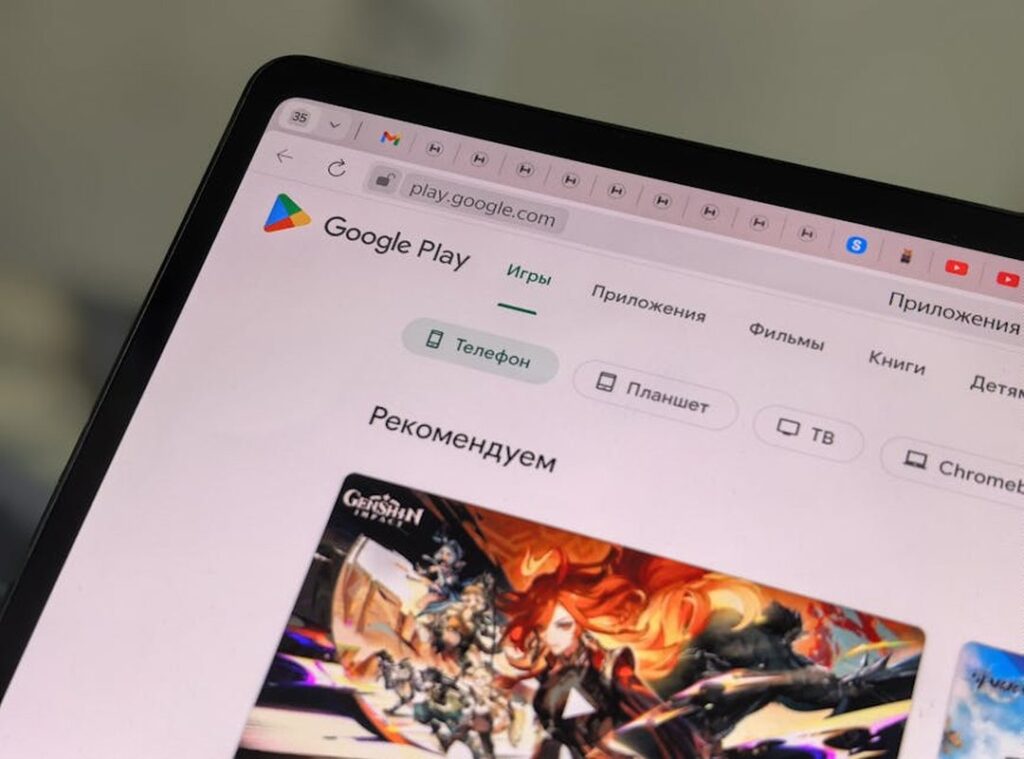
When it comes to picking a good emulator, there are a few highly-rated and safe options on the Google Play Store. I recommend RetroArch and Lemuroid. Both are multi-system emulators, which means they can handle a wide range of games from different consoles.
This makes them super convenient.
What should you look for in a good emulator? Broad game compatibility is key. You want an emulator that can run a lot of different titles without issues.
Save state functionality is also crucial. It lets you save your progress at any point, so you can pick up right where you left off.
Customizable on-screen controls are a must. Not everyone likes the default setup, and being able to tweak the buttons to your liking can make a big difference. External controller support is another feature to consider.
If you have a Bluetooth controller, you’ll want an emulator that works seamlessly with it.
To find and install an emulator, just head to the Google Play Store. Search for the one you’ve chosen, and tap “Install.” It’s as simple as that.
Before you start loading your games, make sure you have the emulator installed and ready to go. This way, you can jump right into the action once you have your coolrom android game download.
Bringing It All Together: From Download to Gameplay in Minutes
- Download the game ROM file.
- Install a trusted emulator from the Play Store.
- Launch the emulator app.
Inside the emulator, navigate to the folder where the ROM file was saved (e.g., the ‘Downloads’ folder) and select it to start the game.
While a direct coolrom android game download isn’t possible, this method unlocks a massive library of classic gaming history on their phone.
Your favorite retro games are just a few taps away. It’s time to start playing.
 Draxian Quenvale is the kind of writer who genuinely cannot publish something without checking it twice. Maybe three times. They came to insights and analysis through years of hands-on work rather than theory, which means the things they writes about — Insights and Analysis, Cultural News and Insights, Emerging Trends Reporting, among other areas — are things they has actually tested, questioned, and revised opinions on more than once.
That shows in the work. Draxian's pieces tend to go a level deeper than most. Not in a way that becomes unreadable, but in a way that makes you realize you'd been missing something important. They has a habit of finding the detail that everybody else glosses over and making it the center of the story — which sounds simple, but takes a rare combination of curiosity and patience to pull off consistently. The writing never feels rushed. It feels like someone who sat with the subject long enough to actually understand it.
Outside of specific topics, what Draxian cares about most is whether the reader walks away with something useful. Not impressed. Not entertained. Useful. That's a harder bar to clear than it sounds, and they clears it more often than not — which is why readers tend to remember Draxian's articles long after they've forgotten the headline.
Draxian Quenvale is the kind of writer who genuinely cannot publish something without checking it twice. Maybe three times. They came to insights and analysis through years of hands-on work rather than theory, which means the things they writes about — Insights and Analysis, Cultural News and Insights, Emerging Trends Reporting, among other areas — are things they has actually tested, questioned, and revised opinions on more than once.
That shows in the work. Draxian's pieces tend to go a level deeper than most. Not in a way that becomes unreadable, but in a way that makes you realize you'd been missing something important. They has a habit of finding the detail that everybody else glosses over and making it the center of the story — which sounds simple, but takes a rare combination of curiosity and patience to pull off consistently. The writing never feels rushed. It feels like someone who sat with the subject long enough to actually understand it.
Outside of specific topics, what Draxian cares about most is whether the reader walks away with something useful. Not impressed. Not entertained. Useful. That's a harder bar to clear than it sounds, and they clears it more often than not — which is why readers tend to remember Draxian's articles long after they've forgotten the headline.